Tutorials, Tips, Reviews
Located here are various tutorials, tips, reviews and articles I've written that might be of interest.
Storytelling/Writing-related goodies:
Scriverner Layout - Here's my customized layout for all you writers who use Scrivener.
Having themes in your story is not enough–they must resonate - Ever wonder why even though some stories have defined themes, they just didn't resonate with you?
Mapping out character and faction motivations and relationships with Excel - Here's how I brainstorm and organize the characters and factions in my stories, detailing their motivations, inner and outer conflicts, personalities, and how they relate to one another.
Hierarchy of conflicts in storytelling - This is the system I use to organize the hierarchy of conflicts in my storytelling.
Treat factions like characters and give them arcs too - A lot of writers like to emphasize how important it is to have character arcs, but I have never heard anyone mention faction arcs, which I think are important too.
Writing relatable Mary Sues with depth - Mary Sue (impossibly perfect characters who are embodiment of author's wish-fulfillment) is one of those storyteling problems that gets mentioned a lot, but there is a way to write such a character with depth.
Music-related goodies:
Audio Gear Reviews - All reviews related to audio gear such as speakers, headphones, audio production software & plugins, musical instruments & MIDI controllers, etc.
Zendrum Layouts - Various layouts I have created for the Zendrum LT.
Photography-related goodies:
How to take better photos (technical and artistic tips for photography) - I put all the important basic tips on how to take better photos in a single blog post. It covers a lot, but it doesn't cover everything since it's just a single blog post; however, it's a great start for those who need some guidance.
HD Video Shootout & Review - This video is for those of you who want to know what type of camera to get for your video needs. It also features Kitty Cat throughout the video.
?
Artistic development and career advice-related goodies:
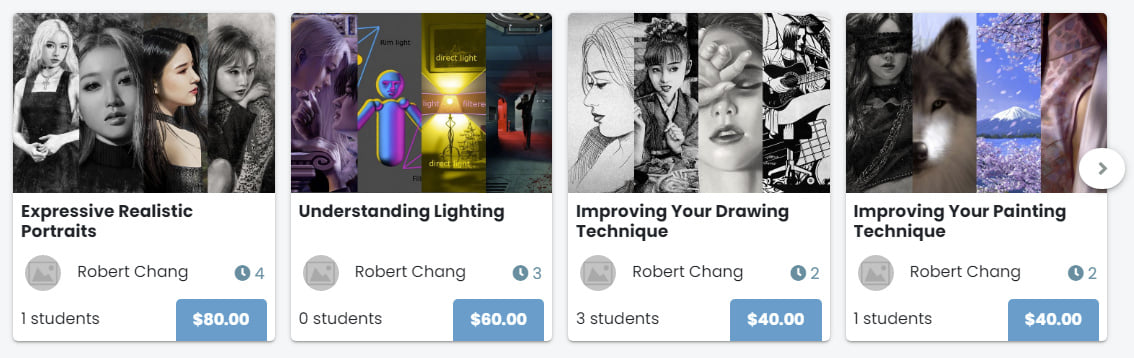
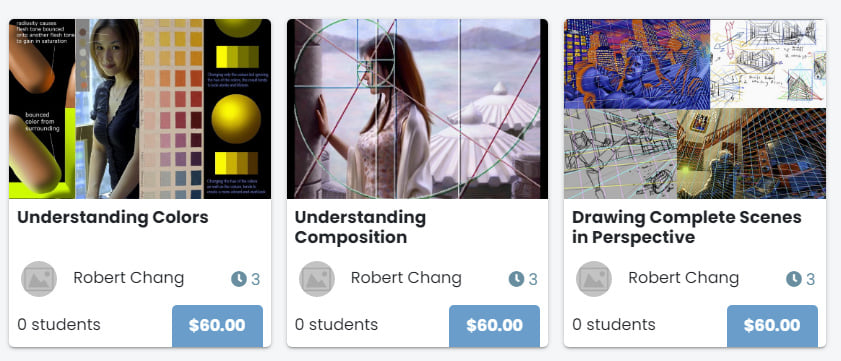
I recently created and started teaching several art classes at Skilpe.
|
Art Techniques and Theories forum at cgtalk - I started this forum at cgtalk.com to help artists with questions and to discuss topics of interest to artists who are looking to learn to improve. I have created very helpful and comprehensive sticky threads at the top of the forum to answer questions exactly like this one.
Top 10 tips for becoming a better artist - These are the top ten tips I have for anyone who's serious about wanting to become a better artist (and I guarantee some of them are not what you already know, or have even thought about before).
Why 3D artists want to learn 2D - In this article, I give compelling reasons why it's a really good idea for 3D artists to learn 2D drawing and painting, and the profound impact it will have on them as visual artists and also their 3D works.

|
I wrote two articles on for Gamasutra / GameCareersGuide years ago. The first one was on art directing for video games, and it delves into the nitty gritty of what an art director actually does from day-to-day, the different types of art directors (some are more like managers, and some are very hands on in the art production), and what qualities a good art director should have. |
|
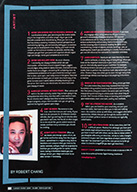
The second article was top tip for game artists who are working professionally in the industry. You can read it by clicking on the thumbnail image below:
|
Digital painting-related goodies:
Before jumping into the tutorials, or downloading the brushes, please read the following:
1) These brushes are my gift to you, but please do not email me and ask me how to use the brushes--there is no trick to using them--just draw and paint as you would other brushes.
2) I'm always experimenting and refining techniques and workflow. so whatever I share here do not necessarily reflect how I work currently. In fact, there are some things I used to do that I would not do today, so be aware of that--you could be exposing yourself to less-than-optimal workflow or bad techniques.
3) It's important to understand that simple tutorials only show general steps of how a piece of artwork was created, and it's just a record of the process, and is in no way truly useful education. There is so much that goes on in the mind of the artist when creating a piece of work, involving all the critical foundations of visual art such as compelling subject matter and involving visual storytelling, effective composition/layout design, interesting shapes and forms, depicting surface properties of various materials, complex lighting considerations, color theory, anatomy/figure, conveying emotions through facial expressions and body language, brushwork, stylization choices, aesthetic sensibility, and so on. If you want real education on how to be a better artist, tutorials are probably the least useful. What you need instead, is a complete course/training regiment that teaches you all the elements I mentioned.
4) I get emails from people all the time, asking me why they couldn't reproduce the same result in their painting from following my online tutorials. It always surprised me that anyone would think a tutorial is all it takes to get the same results that took me many years of learning and practicing to achieve. They would ask me, "What is it that you did in the final steps to get it to look like finished work?" or "What brushes did you use? Why can't I get the same look you did?" My reply to them has always been the same:
"It's not the brushes or any other secrets that I've held back--it is simply experience, patience, and practice needed on your part."
If an experienced guitar player showed you how to finger a bunch of chords and showed you all the notes on a guitar solo, you wouldn't automatically think that you could play just as accurate, expressive, and fast as him, would you? Then why would you believe a painting tutorial can turn you into an experienced painter? The only thing that could get you there is years of learning and practicing. With any creative endeavor that involves muscle memory, eye-hand coordination, observation skills, analytical skills, critical thinking, creative thinking, memorizing and understanding important rules and theories, exposure to a wide-range of styles and works, acquisition and refinement of taste...etc, it will take a long time to simply become adequate, and it'll take far longer to become proficient. Some people spend an entire lifetime and never get beyond being simply adequate, while some will become good enough to be called a master by others. The painting tutorials are just chords and notes that I showed you--you're the one that has to practice the until your fingers bleed (yes, some guitarists do practice until their fingers bleed) .
When you put together point 3 and 4 from above, it's easy to see why it takes so much more than just some tutorial to become a better artist. it takes years of learning, study, and practice, and there is no shortcut--you have to pay your dues in order to achieve your aspirations.
With that said, here are some old tutorials I made many years ago, and I suppose they're good for some amusement, but not really all that educational. If you want serious art education, you might want to take a look at my Becoming a Better Artist workshop.
Moonlight Lovers steps - A tutorial I did at the request of cgsociety.org.
Scythe Wolf steps - Showing the steps of the painting. There's a different version of the Scythe Wolf tutorial that is much more comprehensive, with lots of explanations (compared to the version here, which is just the steps without the in-depth exaplanations) published in Digital Art Masters: Volume 1, published by 3dtotal.com.
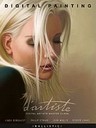
d'artiste: Digital Painting - I co-wrote a book on digital painting techniques with Linda Bergkvist, John Wallin Liberto, and Philip Straub. The tutorials and tips I've written in the book are far more detailed and in-depth than the ones I have on the website.
Corel Painter-related goodies:
Painter tips and tricks (updated 11-29-2005) - Some tips on how I use my brushes and set up my UI.
Rob's custom Painter brushes (updated 11-30-2005) - Current release is for version IX of Painter. Using them in earlier version will cause glitches. I do not have earlier versions available anymore.
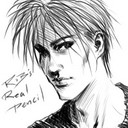
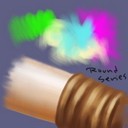
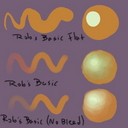
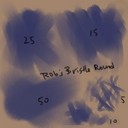
Examples done with my custom brushes (click on the images for explanation of each brush):
Read the following instruction for installing the brushes:
First, extract zipped contents straight into your "Program Files\Corel\Corel Painter IX\Brushes" folder. After you have extracted the files, they should be available as a seperate library (just go to the "Load Brush Library" option in the Brush Selector Bar". If you want to move them into the default Painter brush library, just read the Painter help file for how to do that.
Personal-related goodies:
Favorites - Favorite movies, TV shows, music, games, artists, books, photographers, etc.